Johku Pro and Johku Max Available now
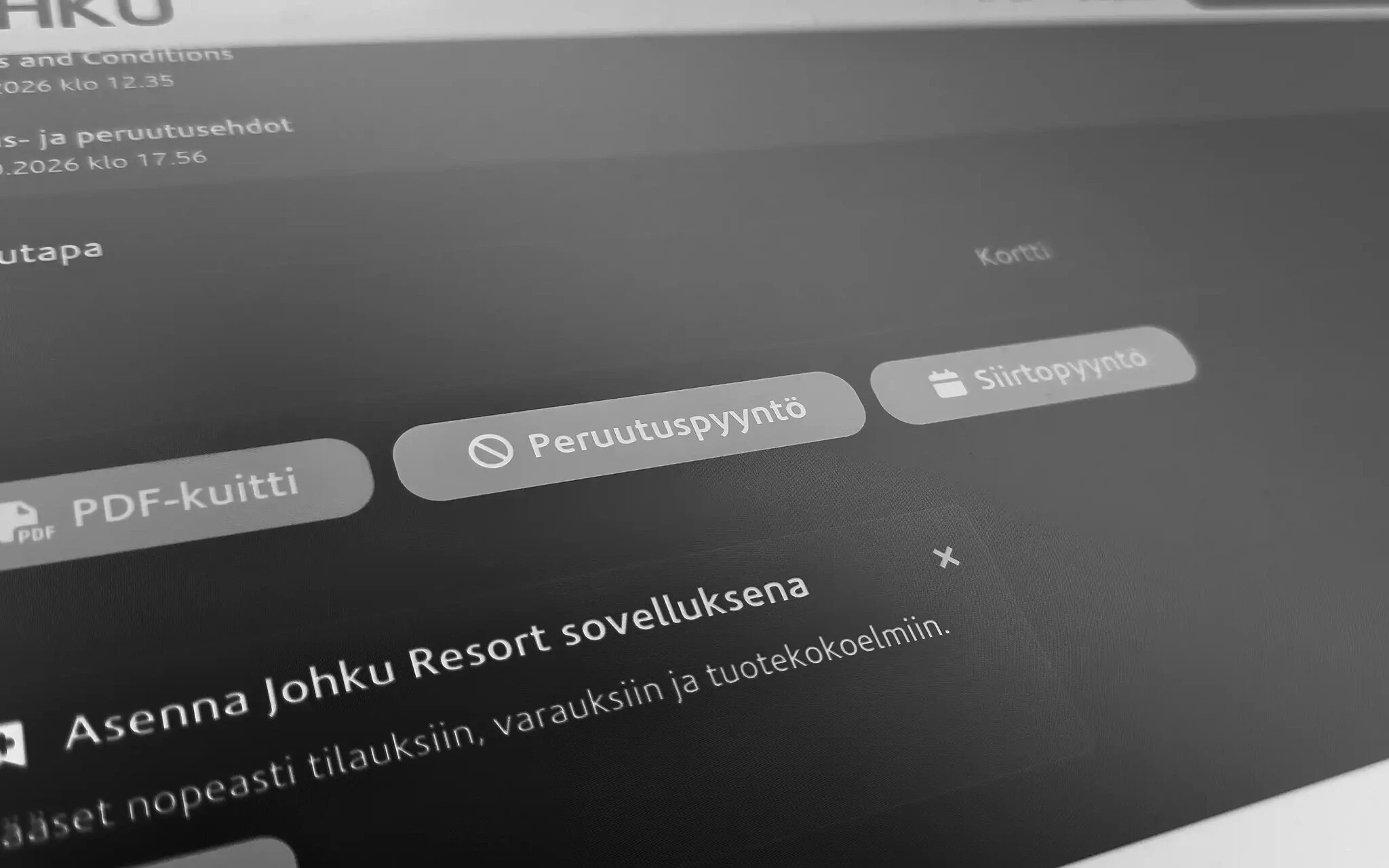
The customer sends a cancellation or reschedule request straight from their order details page, without logging in. In Johku admin, you see which products the request covers and which date and time the customer wants to move to. You decide yourself on changes that involve paid products.
The request and its handling on the same order
The products the customer chose, the date they would like and any extra details are saved straight on the order. You find the request on the Requests tab and mark it processed or rejected once you have resolved it.
The request now arrives on the order already structured
The customer chooses the lines and the time
When the customer chooses Cancellation request or Reschedule request, they tick the products the request covers. In a reschedule request, they also choose the new date and time they would like and can add extra details.
Johku handles requests for free products automatically
When all the products in the request are free of charge, Johku makes the cancellation or the rescheduling automatically if the conditions allow it. Rescheduling also requires the new date and time to be available. The customer gets a confirmation of the completed change.
You decide the rest
When the request includes paid lines, the customer gets an acknowledgment and you get an email. The request shows on the order's Requests tab. You make the change with Johku's tools and mark the request processed or rejected.
Good to know
Cancellation requests are on by default and reschedule requests are off. You turn each on or off separately in your shop's terms settings.
A request that covers paid lines does not change the order. You make the cancellation, refund and rescheduling yourself, and your terms decide whether you accept the request.
You can block cancellation or reschedule requests product by product. The block also applies to the product's add-ons.
Free products are rescheduled automatically only when the new date and time is available and the product's booking conditions allow it. Otherwise, the request is left for you to handle.
A request cannot be made for a refunded or archived order, or for a booking that has ended.
Example
Say a customer has booked a cottage from Friday to Sunday and a sauna session too. They ask to move the booking a week later and choose both lines. You see the request on the order, check availability for the new dates, move the bookings and mark the request processed.
Availability
Products and industries: orders and bookings, all industries
Price: included in Johku
Getting started
Cancellation requests are on by default, and an administrator switches reschedule requests on in your shop's terms settings. The customer sees the request buttons on the order details page. The guide is in Johku Support: How to handle a customer's cancellation and reschedule requests (in Finnish).
Read more
Questions about cancellation and reschedule requests?
In Johku Pro, support answers at tuki@johku.com on weekdays 9:00–16:00 Finnish time. In Johku Max, a dedicated specialist (Merchant Success operator) helps you.