Johku Pro and Johku Max Available now
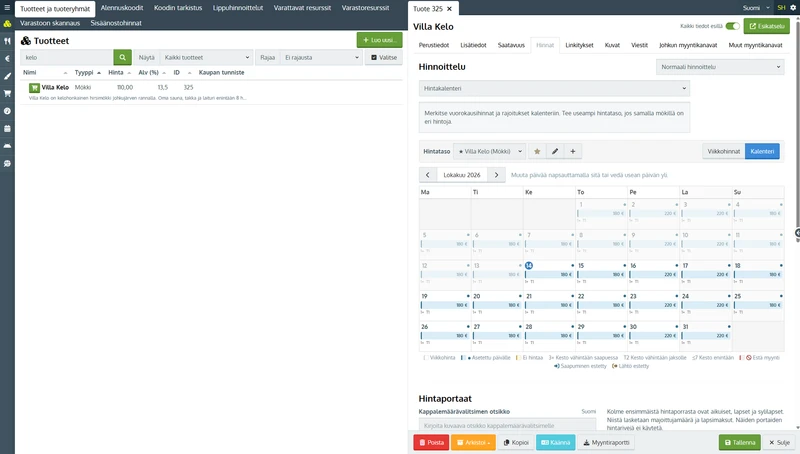
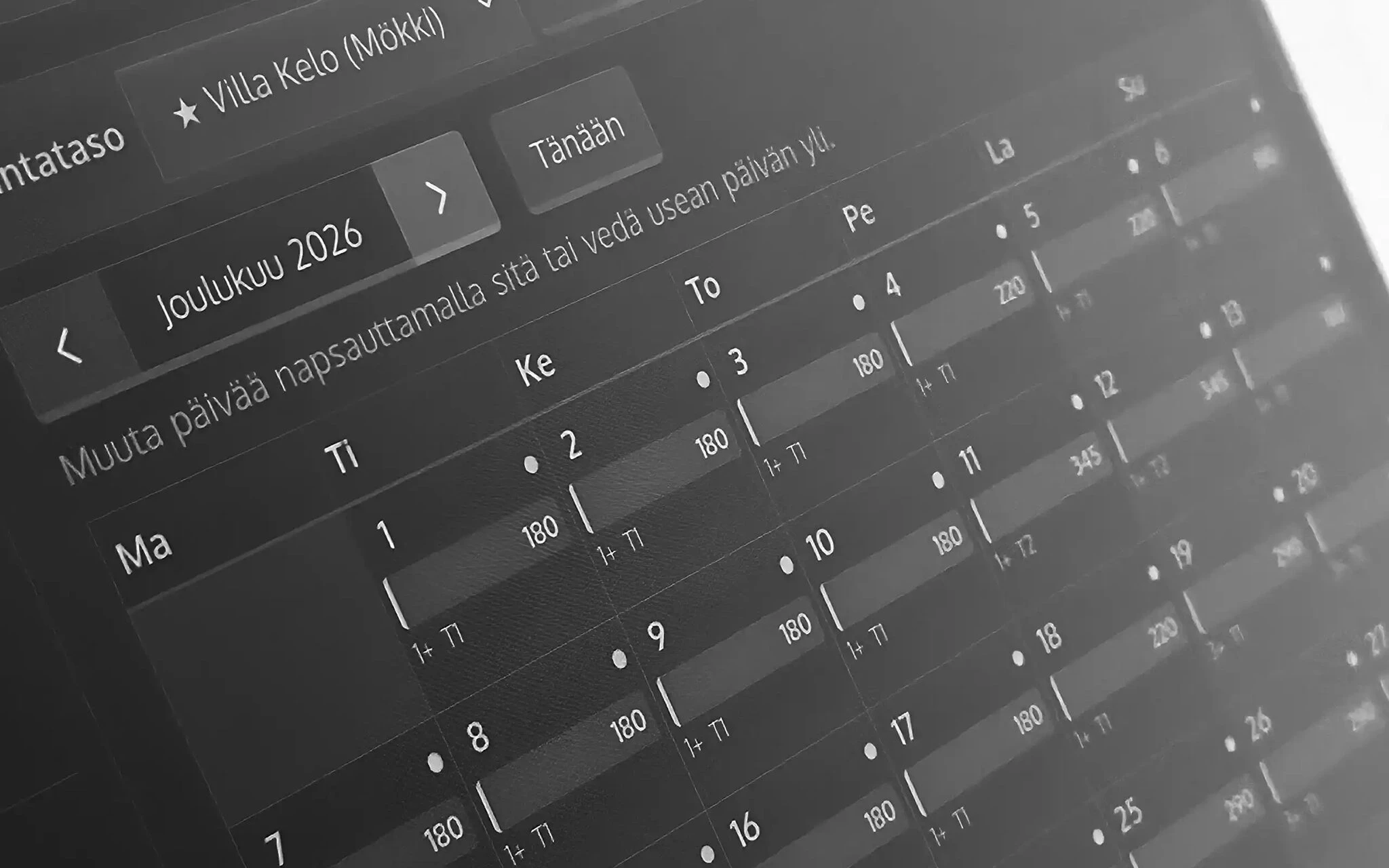
One price for weeknights, another for weekends. In Johku's price calendar, you set prices for a cottage or other rental accommodation one night at a time and set minimum nights when you need them. You see the prices in the calendar and adjust them day by day.
Adjust prices right in the calendar
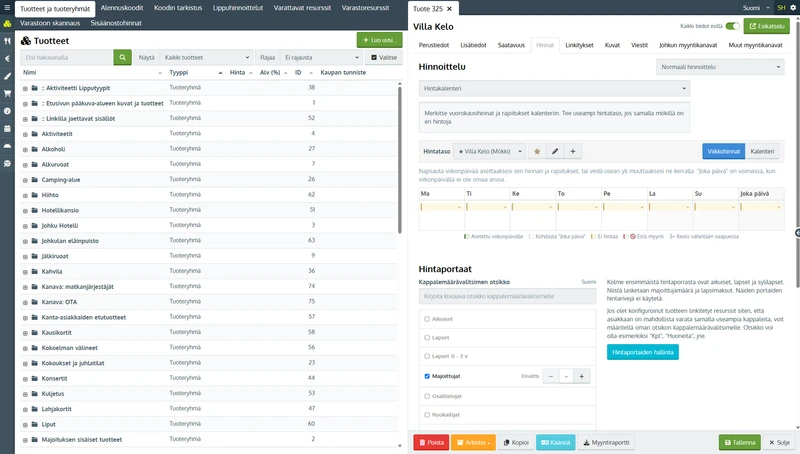
The price calendar suits situations where you edit prices and minimum nights day by day. If you have used the Booking.com or Airbnb calendars, the way of working is familiar. When your prices follow the same season, weekday or weekend rules for long periods, you can keep using price rows.
Prices and restrictions straight in the calendar
A price for every night
A day's price is the price of the night that starts that day. When a customer books from Friday to Sunday, the price is the sum of the Friday and Saturday nights. The departure day's price is not counted. Days you have not priced cannot be booked.
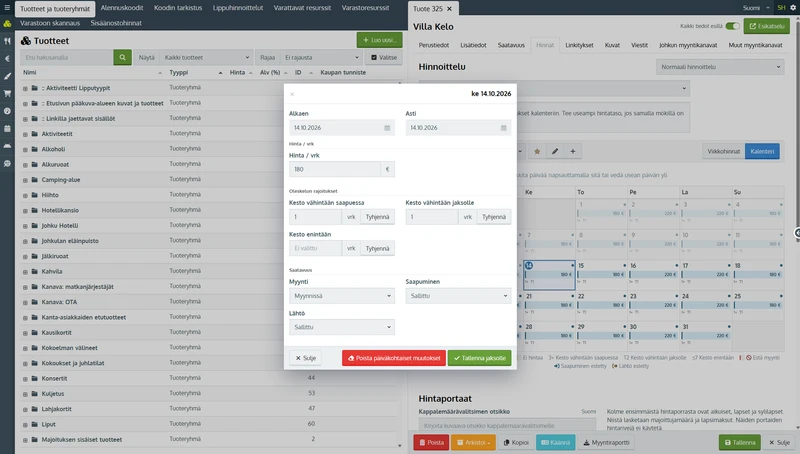
Minimum nights and arrival days
When guests arriving at the weekend must book at least two nights, you set the minimum for Friday and Saturday. You can also block arrivals or departures on certain days, so you can rent by the week, Saturday to Saturday. To keep a day for your own use, you take it off sale completely.
The same prices in your channels
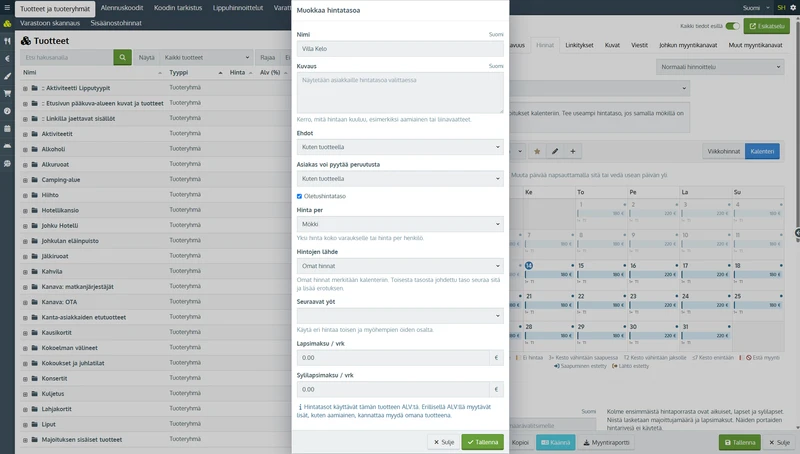
When the accommodation is connected to the channel manager, Johku sends the prices and restrictions from the price calendar to Booking.com, Airbnb and other channels. If the accommodation has several rate levels, such as a price with bed linen, each level shows in the channels as a rate option of its own.
The channel manager for accommodation is a paid add-on service. You can use the price calendar without channels too.
In Johku Max, your own AI assistant already makes the changes for you. When you describe a price change in your own words, the assistant updates the prices and minimum nights in the price calendar. You check the result in Johku admin.
Good to know
The price calendar is available for rental accommodation product types, such as cottages and villas. You price other products with price rows. You choose the pricing method for each product and can switch it at any time: the prices in both the price rows and the price calendar are kept.
Example
Say a weeknight at the cottage costs €150 and a weekend night €200. Guests arriving on a Friday or Saturday must book at least two nights. A booking from Friday to Sunday then costs €400, and one from Monday to Tuesday €150. A guest arriving on a Saturday cannot book just one night.
Availability
Products and industries: rental accommodation, such as cottages and villas
Price: included in Johku. Sending prices to channels requires the channel manager for accommodation.
Getting started
You select the price calendar as the pricing method for an accommodation product in Johku admin. There is nothing to order separately. The guide is in Johku Support: How to price accommodation with the price calendar (in Finnish).
Read more
Questions about the price calendar?
In Johku Pro, support answers at tuki@johku.com on weekdays 9:00–16:00 Finnish time. In Johku Max, a dedicated specialist (Merchant Success operator) helps you.